What We Ask For Before Building Your AI Chatbot (and Why)


AI Automation and Agents


- 22 Oct, 2026
- 4 Views
- 0 Comment
By the LaunchLen Web Solutions Team · Kitchener, Ontario · Last updated: October 22, 2026
An AI agent is software that uses an AI model to work through a task in steps: deciding what to do next, using tools such as a search or a database lookup, checking the result and carrying on until it’s done. Building one from scratch means writing a lot of plumbing. AI agent frameworks provide that plumbing.
This guide explains what agent frameworks do, the features that matter, a short tour of popular options and how to decide whether a business workflow needs one at all. If agents are new to you, start with our guide to agentic AI workflows.
What an agent framework does
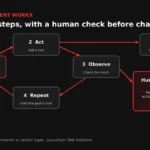
At its core, an agent runs a loop. The model looks at the goal and the information it has, decides on a step (often calling a tool), sees the result and decides again. The model itself is usually reached through an LLM API.
A framework is a code library that handles the repetitive parts of that loop, so developers can focus on the business logic:
- Sending requests to the model and reading its responses.
- Describing tools the model can call, and running those calls safely.
- Keeping track of the conversation and the task’s progress.
- Coordinating several agents, or several steps, in a defined order.
- Recording what happened so people can review it.
Key features: tools, memory, orchestration, tracing
When developers compare frameworks, these features tend to come up first.
Tools. How the agent connects to your systems: looking up a customer record, drafting an email, creating a ticket. Several frameworks now support the Model Context Protocol (MCP), an open standard for connecting AI applications to tools and data.
Memory and state. What the agent remembers within a task and across sessions. Good state handling also lets a long task pause and resume without starting over.
Orchestration. How steps and agents are arranged. Some frameworks let you mix fixed, predictable steps with AI-driven ones, which helps keep important parts of a process auditable.
Human checkpoints. The ability to pause before a sensitive action, such as sending a message or changing a record, and wait for a person to approve it.
Tracing and evaluation. A record of each step the agent took, which tools it called and what came back. This is how problems are found and fixed.
Guardrails. Checks on inputs and outputs, such as blocking off-topic requests or validating that a result has the expected format.
A short tour of popular options (verify current versions)
These are industry examples, described from each project’s official documentation at the time of writing (October 2026). This space moves quickly, so check the current docs before choosing.
- LangGraph (from LangChain) describes itself as a low-level orchestration framework and runtime for long-running, stateful agents. It lets developers mix fixed, hand-coded steps with AI-driven steps in one graph, and highlights durable execution, streaming and human-in-the-loop support.
- CrewAI is an open-source framework for orchestrating multiple agents. It combines “Crews” of collaborating agents with “Flows” that give more precise control over the process.
- OpenAI Agents SDK is a lightweight library with a small set of building blocks: agents with instructions and tools, handoffs between agents, and guardrails for checking inputs and outputs. It includes built-in tracing.
- Microsoft Agent Framework covers individual agents and graph-based workflows, with connections to several model providers and MCP. Microsoft describes it as the successor to AutoGen, which is now in maintenance mode, so new projects are pointed to Agent Framework instead.
- Google Agent Development Kit (ADK) is an open-source framework available in several programming languages. It supports multi-agent and graph-based workflows and, according to its docs, can work with models beyond Google’s own.
Some frameworks are tied closely to one provider’s models and services; others aim to work with many. That matters if you want the option to switch models later.
Framework or plain code: when to skip one
A framework isn’t always the right call. For a simple task, such as one model call that classifies an email and one tool call that files it, plain code calling an LLM API can be easier to understand, test and maintain.
A framework may earn its place when:
- The task has many steps, branches or agents.
- It needs to pause for human approval and resume later.
- You need detailed tracing to see why the agent did what it did.
- Several team members will build and maintain agents, and a shared structure helps.
Plain code may suit you better when:
- The workflow is short and predictable.
- You want fewer dependencies to update and review.
- The framework’s abstractions would hide behaviour you need to control.
Either way, the agent is only as safe as the permissions you give it. OWASP’s guidance on excessive agency warns against giving AI systems more functionality, permissions or autonomy than a task needs. A framework doesn’t fix that for you; design choices do.
Choosing for a business workflow
Start with the workflow, not the framework. Here’s an illustrative example: a service business wants an agent that reads incoming quote requests, pulls the customer’s history, drafts a reply and flags anything unusual for a person. Useful questions include:
- What should the agent be allowed to do? Read only, draft only, or act? Keep sensitive actions behind human approval.
- Which systems does it need? Check whether the framework connects to them, directly or through MCP.
- Which models will you use? Some frameworks favour one provider; others are model-agnostic.
- How will you test it? Plan a set of real examples and review results before launch. Our guide on how to reduce AI hallucinations covers testing in more depth.
- Who will maintain it? Consider the programming languages your team knows, the quality of the documentation and how actively the project is maintained.
When we help with agent projects, we agree the workflow, permissions, review steps and reporting with you before anything is built.
FAQ
Which AI agent framework is best?
There isn’t a single best option. The right choice depends on your workflow, the models and systems involved, the programming languages your team uses and how much control you need. For simple tasks, plain code may be enough.
Do I need a framework to build an AI agent?
No. Agents can be built with plain code that calls an AI model and your tools. Frameworks help most with complex, multi-step or multi-agent workflows, human approvals and tracing.
Are AI agent frameworks safe to use?
The frameworks themselves are code libraries, so safety depends on how the agent is designed and deployed. Limit permissions, require approval for sensitive actions, log what the agent does and keep the framework updated.
Let’s work together on your project
Thinking about an AI agent for a business workflow? We’re LaunchLen Web Solutions Inc., based in Kitchener, serving Waterloo Region and businesses across Ontario. Our AI Solutions page explains how we approach AI projects, and we’re happy to talk through your goals with you. Book a free consultation to get started.

DROP US A LINE
Connect with LaunchLen Web Solutions Inc.
Ready to take the first step towards unlocking opportunities, realizing goals, and embracing innovation? We're here and eager to connect.

To More Inquiry
+1 226 899 4813

To Send Mail