AI for Small Business in Ontario: A Practical Starting Guide


AI Automation and Agents

- 11 Oct, 2026
- 36 Views
- 0 Comment
By the LaunchLen Web Solutions Team · Kitchener, Ontario · Last updated: October 11, 2026
“Agentic AI” is one of those terms that went from research papers to sales decks in record time. Vendors use it to mean anything from a chatbot with a few extra buttons to software that runs whole processes by itself. If you run a small or mid-sized business, that makes it hard to tell what’s real, what’s useful and what’s risky.
This guide explains agentic AI workflows in plain language: what they are, how they differ from the generative AI and automation you may already use, what a realistic small-business workflow looks like, and the guardrails that should come with one. The examples are illustrative scenarios, not client case studies. They show the shape of the work, not promised results.
What is agentic AI, in simple terms?
Agentic AI is AI that can take steps toward a goal, not just answer a question.
A regular AI chat assistant waits for your prompt, produces a response and stops. An agentic system is given a goal (“process this new enquiry”), and then works out what to do: look something up, use a tool, check the result, decide on the next step, and keep going until the job is done or it needs a person.
Two terms are often blurred together, and it’s worth separating them. In an engineering guide on building agents, the AI company Anthropic draws a useful line:
- Workflows are systems where AI and tools are arranged along predefined paths. The AI does smart things at certain steps, but the order of steps is set in advance.
- Agents are systems where the AI dynamically decides its own process and which tools to use.
For most small businesses, the sweet spot is the first kind, or a workflow with a small agentic step inside it. You get the flexibility of AI where it helps (reading messy emails, drafting replies) and the predictability of a fixed process everywhere else. “Agentic AI workflow” is a fair name for that middle ground.
Agentic AI vs generative AI vs traditional automation
| Traditional automation | Generative AI | Agentic AI workflow | |
|---|---|---|---|
| What it does | Follows fixed rules: “if this, then that” | Produces content in response to a prompt | Works through multiple steps toward a goal, using tools |
| Handles messy input? | Poorly. Needs structured data | Well: emails, documents, free text | Well, and can act on what it reads |
| Takes actions? | Yes, exactly as programmed | No. It returns text or images | Yes, within the permissions you give it |
| Predictability | Very high | Variable: same prompt, different answers | Variable. Needs checkpoints and limits |
| Typical use | Syncing forms to a CRM, sending notifications | Drafting, summarizing, rewriting | Triage, research-and-draft tasks, multi-system updates |
| Main risk | Breaks when inputs change | Confidently wrong output | Wrong output that turns into a wrong action |
That last row is the important one. When generative AI makes a mistake, you get a bad paragraph. When an agent makes a mistake, it might send the wrong email, update the wrong record or promise a customer something you don’t offer. That’s why guardrails aren’t optional.
If you’re weighing these approaches for a specific process, our upcoming comparison of AI process automation, RPA and agentic AI goes deeper.
How an agentic workflow works
Under the hood, most agentic workflows have the same four building blocks.
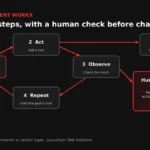
Goal, tools, memory and human checkpoints
1. A clear goal. The narrower, the better. “Qualify new web enquiries and prepare a CRM entry” is a good goal. “Handle sales” isn’t.
2. Tools. These are the specific actions the agent is allowed to take: search your knowledge base, look up a customer record, create a draft email, add a note to the CRM. Each tool is a door you choose to open, and every door you don’t open is a mistake the agent can’t make. Open standards are emerging to make these connections more consistent. For example, the Model Context Protocol is an open-source standard for connecting AI applications to data sources and tools.
3. Memory and context. The information the agent can see while it works: the enquiry itself, your service list, your policies, previous messages with that customer. Good context means better decisions. Too much context, especially personal information it doesn’t need, means more privacy risk.
4. Human checkpoints. The points where the agent stops and waits for a person: before sending anything to a customer, before changing financial records, or whenever it isn’t confident. Checkpoints are what turn a risky autonomous system into a useful assistant.
A simple way to picture it: the agent is a capable new hire on their first week. They can read, research and prepare drafts, and they have keys to a few specific rooms. A manager signs off on anything that leaves the building.
Example workflows (illustrative scenarios, not client case studies)
These scenarios are typical of the kinds of businesses found across Waterloo Region and Ontario, such as manufacturers, trades, professional services and clinics. They show how an agentic workflow could be structured. They aren’t descriptions of real client projects.
Lead intake → qualification → CRM update
Scenario: A renovation contractor gets enquiries through a website form, email and a booking page. Many are missing key details, and some are outside the service area.
How the workflow could run:
- A new enquiry arrives. The agent reads it and extracts the project type, location, timeline and contact details.
- It checks the location against the contractor’s service area and the project type against the services offered.
- If details are missing, it drafts a friendly follow-up asking for them.
- It checks the CRM for an existing record, then prepares a new entry or an update with a short summary.
- Checkpoint: a staff member reviews the summary and the draft reply, edits if needed and approves. Only then is anything sent or saved.
The agent never commits to pricing or scheduling. It prepares the groundwork so a person can respond faster and better.
Quote/estimate drafting from a spec sheet
Scenario: A small manufacturer receives requests for quotes as PDFs and emails with drawings and specifications.
How the workflow could run:
- The agent reads the request and pulls out materials, quantities, tolerances and delivery dates.
- It flags anything unusual or unclear (“tolerance not specified for part B”).
- It applies the company’s documented pricing rules to produce a draft estimate, showing its working.
- Checkpoint: an estimator reviews every line, corrects anything wrong and decides what goes out.
The value here is speed and consistency in the preparation, not handing pricing decisions to software.
Invoice and document triage
Scenario: A professional services firm receives a steady flow of invoices, receipts, contracts and forms into a shared inbox.
How the workflow could run:
- The agent classifies each incoming document: invoice, contract, form or other.
- For invoices, it extracts the vendor, amount, date and reference number, and checks them against expected purchase orders.
- It files documents in the right folder and prepares entries for the accounting system.
- Checkpoint: anything that doesn’t match, is above a set amount or comes from a new vendor goes to a person. Matching, routine items are queued for quick batch approval.
Website support assistant with handoff to staff
Scenario: A clinic or service business wants its website to answer common questions (hours, services, how to prepare for an appointment) without staff stopping what they’re doing.
How the workflow could run:
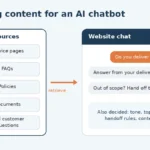
- The assistant answers using only content the business has approved: service pages, FAQs, policies.
- When a question goes beyond that content, or involves personal health, legal or account details, it says so and offers a handoff.
- It collects the visitor’s contact details and question, with clear notice, and creates a request for staff.
- Checkpoint: staff handle anything sensitive, and the assistant’s answers are reviewed regularly for accuracy.
This is where accuracy really matters. In Moffatt v. Air Canada (2024), a British Columbia tribunal found the airline responsible for incorrect information its website chatbot gave a customer, and rejected the idea that the chatbot was responsible for its own statements. If an assistant speaks for your business, its answers are your answers.
Guardrails: permissions, logging, human-in-the-loop, Canadian data handling
Security researchers have a name for the core risk of AI agents: excessive agency. The OWASP GenAI Security Project describes it as damaging actions taken in response to unexpected, ambiguous or manipulated AI output. It usually traces back to an agent having too much functionality, too many permissions or too much autonomy. OWASP has since published a separate Top 10 list for agentic applications. The guardrails below address that risk directly.
Least-privilege permissions. Give the agent only the tools and data access its job needs. If it drafts emails, it shouldn’t be able to send them. If it reads the CRM, it shouldn’t be able to delete records.
Human-in-the-loop by default. Require approval for anything customer-facing, financial or hard to undo. Loosen this only where the agent has been consistently reliable, and keep it for high-stakes actions permanently.
Logging. Record what the agent saw, what it decided and what it did. Logs let you spot problems, explain decisions and improve the workflow.
Treat inputs as untrusted. Emails, documents and web content can contain instructions designed to manipulate an AI (known as prompt injection). The agent should never treat text inside an incoming email as a command.
Canadian data handling. If the workflow touches personal information, PIPEDA applies to most private-sector businesses in Ontario. Your business stays accountable for personal information it shares with service providers, including AI services, wherever they’re located. Map which services see what data, collect only what’s needed, and be open with customers about how AI is used. The Office of the Privacy Commissioner of Canada’s principles for generative AI are a practical checklist. For broader risk thinking, the US National Institute of Standards and Technology’s AI Risk Management Framework is a widely used reference.
A clear owner. Someone in your business should own each workflow: they review its performance, approve changes and are the person staff go to when it behaves oddly.
This section is general information, not legal advice. Consult a qualified privacy advisor about your specific obligations.
When an agent is overkill
Agentic AI is a powerful tool, and plenty of jobs don’t need it. Skip the agent when:
- The process is fully predictable. If the inputs are structured and the rules never change, plain automation is cheaper, faster and more reliable.
- It happens rarely. A task done twice a month probably isn’t worth building and maintaining an agent for.
- There’s no safe way to check the output. If nobody can practically review what the agent does, and mistakes would be costly, don’t automate the decision.
- The data isn’t ready. An agent working from outdated price lists or messy records will make confident mistakes faster.
- A better form would fix it. Many “we need AI” problems are really “we’re collecting the wrong information” problems.
A good partner will tell you when the honest answer is “you don’t need an agent for this.”
How we approach agentic workflows
LaunchLen Web Solutions Inc. designs and builds practical AI workflows for small and mid-sized businesses. Based in Kitchener, serving Waterloo Region and businesses across Ontario. A project typically starts with one process, can be designed with checkpoints and permissions from day one, and is measured against how the work was done before. Learn more about our AI solutions, the custom software development behind more complex integrations, and our IT and AI consulting if you’d like to assess readiness first.
FAQ
Are AI agents reliable enough for real business work?
For well-defined tasks with human checkpoints, they can be genuinely useful. They’re not reliable enough to run unsupervised on high-stakes decisions. AI output varies and can be wrong in convincing ways. The practical approach is to let agents prepare and draft, have people approve, and reduce oversight only where results have been consistently good.
What tools are agentic workflows built with?
Usually a combination: an AI model accessed through a provider’s service, connections to your business systems (often through their APIs), and an orchestration layer that controls the steps, permissions and checkpoints. That might be a workflow automation platform or custom code. Open standards such as the Model Context Protocol are making tool connections more consistent. The right mix depends on your systems, data sensitivity and how much control you need.
Can an agent work with my existing software?
Often, yes, if your software offers an API or integration options. Many common business tools do. If a system has no integration options, there are sometimes workarounds, but they tend to be more fragile. Checking this is one of the first steps in any project.
Who is accountable when an agent makes a mistake?
Generally, your business is. In Moffatt v. Air Canada, a British Columbia tribunal held the airline responsible for what its website chatbot told a customer. Privacy law also keeps your business accountable for personal information it hands to service providers. That’s why checkpoints, logging and a named owner for each workflow matter so much.
Map one workflow with us
Have a process that eats hours every week? Bring it to a conversation. We’ll help you work out whether an agentic workflow, simple automation or neither is the right fit.
[Book a free consultation] → https://launchlenwebsolutions.ca/contact/
Call +1 226 899 4813 or email info@launchlenwebsolutions.ca.
LaunchLen Web Solutions Inc., Kitchener, Ontario.

DROP US A LINE
Connect with LaunchLen Web Solutions Inc.
Ready to take the first step towards unlocking opportunities, realizing goals, and embracing innovation? We're here and eager to connect.

To More Inquiry
+1 226 899 4813

To Send Mail