After CDAP: How Canadian Businesses Can Fund AI Adoption in 2026


Web Design and Development


- 11 Oct, 2026
- 41 Views
- 0 Comment
By the LaunchLen Web Solutions Team · Kitchener, Ontario · Last updated: October 11, 2026
“AI-powered” now gets attached to almost every website product and agency pitch. Some of it describes something genuinely useful. Some of it is a chatbot bolted onto a template. If you’re planning a new business website, or wondering whether your current one is falling behind, it helps to know what AI can really do for a site, what it can’t, and what to ask for.
This guide covers whether AI can build your website, how AI website builders compare with custom AI-assisted development, what “AI-powered” should actually mean for a business site, and a practical checklist to see whether your website is ready for how people search and interact today.
Can AI build a website for you?
Partly, yes. AI can now generate page layouts, draft copy, suggest colour schemes, write code and produce images. AI website builders can turn a short description into a working site in minutes. For a simple personal page, a placeholder site or a quick test of an idea, that can be enough.
For a business website, “building” is the easy part. The hard parts are the decisions AI can’t make for you:
- What you should say. AI writes fluent, general copy. It doesn’t know your customers’ real questions, your pricing logic, what makes you different or which claims you can actually back up. Left unchecked, it will happily invent a service you don’t offer.
- How the site should work for your business. Which enquiries matter most, what information your team needs from a form, how bookings or quotes flow into your systems.
- Quality you can’t see at a glance. Accessibility, performance, security and search-friendly structure often look fine in a demo and fail in real use.
- Accountability. Whatever your site says, including anything an AI assistant on it says, is your business speaking. Our guide to agentic AI workflows looks at a tribunal case where a company was held responsible for what its website chatbot told a customer.
So the useful question isn’t “can AI build it?” It’s “who is responsible for getting it right?”
AI website builders vs custom AI-assisted development
Both use AI, but in different ways and for different needs.
| AI website builder | Custom AI-assisted development | |
|---|---|---|
| How it works | You describe your business. The platform generates a site from its templates and components | A developer uses AI tools to speed up design, coding and content work, and makes every decision with you |
| Speed to first version | Very fast | Slower, because planning comes first |
| Fit to your business | Generic structure, limited to platform features | Built around your services, customers and processes |
| Integrations | Limited to the platform’s built-in options | Can connect to your CRM, booking, quoting or other systems |
| Content quality | AI-drafted. You must check and rewrite | Planned, written and reviewed with your input (AI can help draft) |
| Accessibility, speed, SEO | Depends on the platform and how you use it | Can be designed in and tested from the start |
| Ownership and portability | Often tied to the platform | Depends on the agreement. Can be fully portable |
| Best for | Simple sites, testing an idea, very small budgets | Businesses whose site needs to win enquiries, integrate with operations, or grow |
Neither is “right” for everyone. If your website is mainly a digital business card, a builder may do the job. If it’s how customers find you, compare you and contact you, or it needs to connect to how your business runs, custom work usually pays off.
What “AI-powered” should mean for a business site
Forget the buzzword for a moment. A genuinely AI-powered business website does three things well.
AI assistants and smart forms
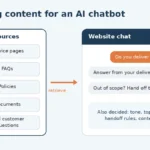
Website assistants can answer common questions using content you’ve approved (services, hours, policies, FAQs) and hand the conversation to a person when a question goes beyond that or involves anything sensitive. A good assistant says “I’m not sure, let me connect you with our team” instead of guessing.
Smart forms ask the right follow-up questions based on earlier answers, check details before submission and route each enquiry to the right person. Small improvements here often matter more than any chatbot: fewer back-and-forth emails, fewer lost leads.
If the assistant or form collects personal information, tell visitors how it’s used, collect only what you need, and know which services process it. PIPEDA applies to how most private-sector businesses handle personal information, and your business stays accountable for what it shares with service providers.
Content structured for AI search
People increasingly see AI-generated summaries in search results and ask AI assistants for recommendations. Google’s guidance for its AI features is clear that the same SEO fundamentals apply, and that no special markup or AI text files are required to appear in them. In practice, being “AI-search ready” means:
- clear service pages that answer real customer questions directly;
- logical structure, with one main heading per page, descriptive subheadings and meaningful links;
- consistent business information (name, address, phone) across your site and listings;
- structured data that describes your business and services in a machine-readable way;
- genuinely helpful, original content. Google says it rewards quality content however it’s produced, but AI-written filler doesn’t meet that bar.
Some sites also add an llms.txt file, a proposed standard that summarizes a site for AI tools. It’s low-effort, but it’s a proposal, not a requirement. Our SEO and AI search optimization service goes deeper on this.
Automation hooks (CRM, email, booking)
The biggest gains often happen behind the scenes. An AI-ready website is built to connect:
- form submissions that create or update records in your CRM automatically;
- enquiries summarized and sorted by AI before a person picks them up;
- booking requests that flow into your calendar;
- confirmation and follow-up emails triggered at the right moment, with proper consent for any marketing messages.
Building these hooks in from the start, through clean form handling and integrations, means you can add AI automation later without rebuilding the site. See our AI solutions page for the automation side.
Accessibility, speed and security still come first
AI features are worth very little on a site that’s hard to use, slow or insecure. These fundamentals come first:
Accessibility. Under Ontario’s Accessibility for Ontarians with Disabilities Act (AODA), businesses and non-profits with 50 or more employees must make their public websites meet WCAG 2.0 Level AA, with limited exceptions. Even if your organization is smaller, accessible design (good contrast, clear headings, keyboard navigation, image alt text, labelled forms) makes the site better for everyone. Be careful with AI-generated alt text and layouts. They still need human review.
Speed and stability. Google’s Core Web Vitals measure loading performance, responsiveness and visual stability. Heavy chat widgets and scripts can hurt all three, so AI features should be added with performance in mind.
Security. Forms, plugins, integrations and AI connections all add potential entry points. Keep software updated, limit access, protect form data and review any code (including AI-generated code) before it goes live. The Canadian Centre for Cyber Security’s baseline controls for small and medium organizations include securing websites, and the OWASP Top 10 lists the most common web application security risks.
Checklist: is my website AI-ready?
Use this to assess your current site, or as a brief for a new one.
Content and structure
– [ ] Each service has its own clear page explaining what it is, who it’s for and where you offer it
– [ ] Pages answer the questions customers actually ask, including an FAQ section where useful
– [ ] One clear main heading per page, with logical subheadings
– [ ] Business name, address and phone are consistent everywhere they appear
– [ ] Structured data describes your organization and key pages
– [ ] Content is original, accurate and reviewed by someone who knows the business
Experience and fundamentals
– [ ] The site works well on phones
– [ ] Core Web Vitals are in good shape
– [ ] Accessibility basics are covered (contrast, headings, alt text, keyboard use, form labels)
– [ ] Software, themes and plugins are up to date
AI and automation readiness
– [ ] Forms collect the information your team needs, and route enquiries to the right person
– [ ] Enquiries can flow into your CRM or inbox automatically
– [ ] Any AI assistant answers only from approved content and hands off to staff
– [ ] Visitors are told how their information is used, and you know which services process it
– [ ] The site is built so new integrations can be added without a rebuild
If you ticked fewer boxes than you’d like, don’t worry. Most of these are fixable without starting over.
Working with a local web team
LaunchLen Web Solutions Inc. builds websites that are designed for people first, structured for search engines and AI tools, and ready for automation. Based in Kitchener, serving Waterloo Region and businesses across Ontario. Learn more about our web development and WordPress development services, or about e-commerce if you sell online.
FAQ
Will an AI-built site rank on Google?
It can, but not because AI built it. Google says it rewards helpful, original, high-quality content however it’s produced, and that using automation mainly to manipulate rankings violates its spam policies. An AI-generated site with generic copy, thin pages or technical problems will struggle. One with clear, accurate, useful pages and solid technical foundations has a fair chance, whatever tools helped create it.
How long does an AI-assisted website build take?
AI speeds up parts of the work, like drafting, prototyping and some coding, but the timeline is still driven by planning, content, decisions and integrations. The number of pages, how much content is ready and how many systems need connecting matter most. We’d rather scope your actual project than quote a generic timeframe.
Can you add AI to my existing website?
Often, yes. Depending on how your site is built, you may be able to add a website assistant, smarter forms or automation behind the scenes without a full rebuild. If your platform makes that impractical or risky, it’s better to know before investing. We’ll assess what’s possible and explain the options.
What does a website cost in Canada?
It depends on scope, so be cautious of any single figure. The main cost drivers are the number and complexity of pages, whether content is written for you, custom design versus templates, integrations (CRM, booking, payments), e-commerce features, accessibility and performance requirements, AI features and their ongoing usage costs, and ongoing hosting and maintenance. Ask any provider to break a quote into one-time and ongoing costs. Our guide to AI automation costs covers the AI side in more detail.
Get an honest look at your website
Wondering whether your website is ready for AI search and automation, or whether a rebuild is worth it? Let’s talk it through.
[Book a free consultation] → https://launchlenwebsolutions.ca/contact/
Call +1 226 899 4813 or email info@launchlenwebsolutions.ca.
LaunchLen Web Solutions Inc., Kitchener, Ontario.
This article is general information, not legal advice. Accessibility and privacy obligations depend on your organization. Confirm yours with the official sources linked below or a qualified advisor.

DROP US A LINE
Connect with LaunchLen Web Solutions Inc.
Ready to take the first step towards unlocking opportunities, realizing goals, and embracing innovation? We're here and eager to connect.

To More Inquiry
+1 226 899 4813

To Send Mail