What Is an LLM API? How Businesses Plug AI Models Into Their Own Software


AI Chatbots and Assistants

- 13 Oct, 2026
- 29 Views
- 0 Comment
By LaunchLen Web Solutions Team
A good AI chatbot implementation starts before anyone writes a prompt: with knowing which questions your customers ask, which answers you trust, and what should happen when the chatbot doesn’t know. Here’s what a chatbot project with LaunchLen Web Solutions Inc. can include, what we may ask you for and what to expect. Every project is different, so treat it as a map rather than a contract.
What you get: a chatbot that answers from your approved content
The chatbots we build use an approach called retrieval-augmented generation, or RAG. Instead of relying only on what an AI model learned in training, a RAG system first searches a set of documents for passages related to the question, then hands those passages to the model so it can write an answer from them. The approach was described in a 2020 research paper by Lewis and colleagues, which also showed that this kind of document index can be swapped or updated without retraining the model (Lewis et al., arXiv). For the plain-English version, read what is RAG?
In practice, the chatbot answers from content you’ve approved, such as your website, existing knowledge base, PDFs, policies, in-scope databases, shared drives and help desk. Documents and details are uploaded through our secure portal as the standard path, and the chatbot picks up from what you choose to upload. You control what you upload. When your hours change, you update the source content rather than rebuilding the bot. You can read more about what a build can include on our AI solutions service page.
One honest caveat up front: RAG makes answers more reliable, but it doesn’t make them perfect. Security guidance from the OWASP Gen AI Security Project lists RAG as a way to reduce misinformation and still recommends human oversight and fact-checking for critical or sensitive information (OWASP LLM09). That’s why every step below includes a person somewhere in the loop.
Step 1: Discovery call and the questions we ask
Every project begins with a free consultation. We’re not looking for a technical spec. We want to understand the problem in your words:
- Which questions take up your team’s time? Hours, booking, service area, returns, intake requirements, or something specific to your industry.
- Who’s asking? Website visitors, customers or your own staff, and where the chatbot would live.
- What does “better” look like? Fewer repeat emails, or cleaner enquiry details reaching the right person.
- What’s off limits? Topics the chatbot should never answer, such as anything legal, medical, financial or account-specific, and which ones should go straight to a person.
If a chatbot isn’t the right fit, we’ll say so. Costs are scoped per project after this conversation; our post on what drives AI automation costs explains the factors involved.
Step 2: Reviewing your website, FAQs and documents
A RAG chatbot is only as good as the content it searches, so before building anything we review that material with you.
That review can include looking for:
- Gaps. Common questions with no written answer anywhere.
- Conflicts. Two pages that give different answers to the same question.
- Stale content. Old prices, discontinued services or outdated policies that shouldn’t be repeated to customers.
- Things to leave out. Internal notes, personal information or anything you don’t want shared.
Leaving content out matters for privacy, too. The Office of the Privacy Commissioner of Canada (OPC) says organizations using generative AI should limit the personal information they collect and use to what the purpose needs, and that personal information in prompts and outputs is still covered by privacy law (OPC generative AI principles). Canada’s federal private-sector privacy law, PIPEDA, may also apply to how your business handles personal information (OPC, PIPEDA). For advice specific to your business, check with a qualified privacy adviser.
Content review also has a security side. OWASP describes how instructions hidden in a document that a RAG system retrieves can change what the model says, a risk known as prompt injection (OWASP LLM01). A clear, approved set of sources helps reduce that risk.
Step 3: A pilot with your team testing real questions
Next comes a pilot: a small working version built on the approved content, tested before customers ever see it. The best test questions come from your inbox and the people who answer customers every day. During the pilot, your team can:
- Ask the questions customers actually ask, including the awkward and badly worded ones
- Check whether answers match your approved content and link back to the source
- Try off-limits topics to confirm the chatbot declines and offers a person instead
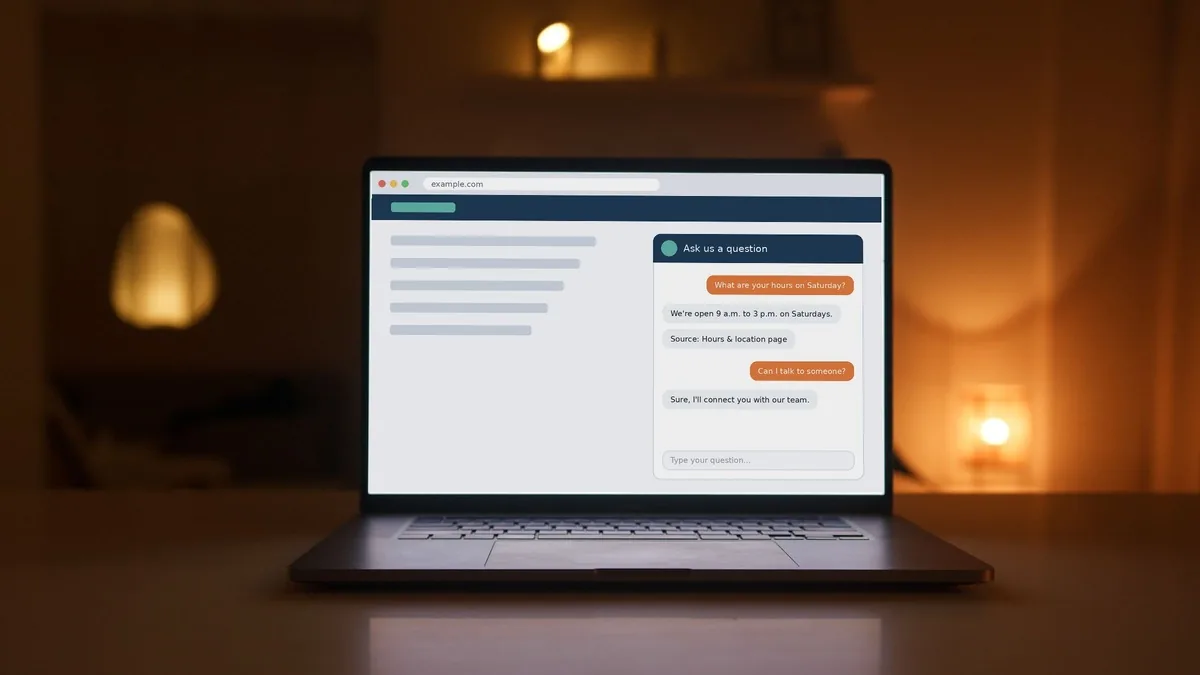
This is where human handoff gets tested properly. The chatbot should be able to say it doesn’t know, and hand off through the bottom-right website widget rather than guessing; unresolved items can create a ticket for a specialist. OWASP also recommends adversarial testing that treats the model as an untrusted user (OWASP LLM01), and the pilot is a good time for it.
Step 4: Launch, monitoring and tuning
Launch happens when the pilot shows the chatbot is helping and handoff works. Before it goes live, we’ll agree with you how visitors will know they’re talking to an AI tool. The OPC says public-facing generative AI tools should make that clear and tell people about privacy risks, such as not entering personal information unless necessary (OPC generative AI principles).
Real visitors will ask things nobody predicted. Reviewing early conversations shows where content is missing and where more topics should go to a person. After launch, we provide full technical support and ongoing updates, and keep improving speed, accuracy, guardrails and hallucination reduction. The chatbot is SaaS-based, so you run the latest version.
What we need from you along the way
You don’t need to be technical, but you do need to be involved. What we ask for can include:
- A main contact who can make decisions and answer questions about your business
- Your content: website pages, FAQs, policies and any documents you want the chatbot to use
- A list of real questions your team hears, pulled from emails, calls or forms
- Your rules: topics to avoid, topics that always go to a person, and where handoffs should land
- Time from your team to test the pilot and tell us honestly what feels off
- An owner for the content after launch, so answers stay accurate as your business changes
FAQ
Will the chatbot make things up?
It can still get things wrong. Answering from your approved content reduces that risk but doesn’t remove it, which is why we test with your team, show sources where possible and build in a way to reach a person.
Do we need perfect documentation before we start?
No. Part of the content review is finding gaps and conflicts in what you already have.
What happens when the chatbot doesn’t know the answer?
It can be set up to say so and offer a clear path to your team instead of guessing. Sensitive topics can be routed straight to a person.
Working with LaunchLen
Based in Kitchener, serving Waterloo Region and businesses across Ontario.
Tell us which questions your team answers most, and we’ll give you an honest view of whether a chatbot is the right fit.
Sources
- Lewis, P. et al., “Retrieval-Augmented Generation for Knowledge-Intensive NLP Tasks” (arXiv, 2020): https://arxiv.org/abs/2005.11401
- OWASP Gen AI Security Project, LLM09:2025 Misinformation: https://genai.owasp.org/llmrisk/llm092025-misinformation/
- OWASP Gen AI Security Project, LLM01:2025 Prompt Injection: https://genai.owasp.org/llmrisk/llm01-prompt-injection/
- Office of the Privacy Commissioner of Canada, Principles for responsible, trustworthy and privacy-protective generative AI technologies: https://www.priv.gc.ca/en/privacy-topics/technology/artificial-intelligence/gd_principles_ai/
- Office of the Privacy Commissioner of Canada, PIPEDA: https://www.priv.gc.ca/en/privacy-topics/privacy-laws-in-canada/the-personal-information-protection-and-electronic-documents-act-pipeda/

DROP US A LINE
Connect with LaunchLen Web Solutions Inc.
Ready to take the first step towards unlocking opportunities, realizing goals, and embracing innovation? We're here and eager to connect.

To More Inquiry
+1 226 899 4813

To Send Mail