How to Show Up in Google AI Overviews and ChatGPT: GEO for Local Businesses


Web Design and Development


- 11 Oct, 2026
- 39 Views
- 0 Comment
By the LaunchLen Web Solutions Team · Kitchener, Ontario · Last updated: October 11, 2026
If your business website runs on WordPress, adding AI can look as easy as installing a plugin. Search the plugin directory for “AI” and you’ll find writing assistants, chatbots, image generators, smart search and more, many installable in a couple of clicks.
That ease is both the opportunity and the risk. A plugin can send your visitors’ questions, your customer data or your content to an outside service. It can slow your pages down. It can sit unpatched after its developer moves on. This guide covers what AI can realistically do inside WordPress today, how to choose plugins carefully, when a custom integration makes more sense, and what Ontario businesses in particular should think about.
What AI can do inside WordPress today
Content assistance
The most common use is help with writing and editing: drafting posts, suggesting headlines, summarizing long pages, generating image alt text or translating content. Used well, it speeds up the blank-page stage.
The WordPress project itself is building foundations for AI. WordPress 6.9 introduced the Abilities API, part of an “AI Building Blocks for WordPress” initiative. It gives plugins and themes a standard way to register what they can do, with defined inputs, outputs and permission checks, so AI tools and automation can work with a site in a predictable way. That doesn’t change anything on your site by itself, but expect more plugins to build on it.
A word of caution on content: AI drafts tend to be generic and can state things that aren’t true about your business. Google says it rewards helpful content however it’s produced, but using automation mainly to manipulate rankings breaks its spam policies. Have someone who knows the business edit every AI draft, check every fact and add real experience before it’s published.
Chatbots and support assistants
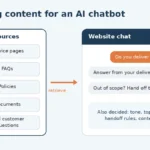
A WordPress AI chatbot can answer common questions, help visitors find the right page, collect enquiry details or hand off to a person. The good ones are grounded in your own approved content (your FAQs, service pages and policies) rather than answering from general knowledge.
Two things matter more than the chat bubble’s design:
- Accuracy. If a chatbot speaks for your business, its answers are your answers. We cover why in our guide to agentic AI workflows, including what a tribunal decided when a website chatbot got a policy wrong. Keep the bot to topics you’ve approved, and make it easy to reach a human.
- Data. Chat conversations often contain personal information: names, emails, phone numbers, sometimes much more. Know where those conversations go and how long they’re kept (more on that below).
Search, forms and personalization
Less visible, but often more useful:
- Smarter site search that understands what a visitor means, not just exact keywords.
- Forms that sort themselves: an enquiry is categorized and routed to the right person, or a missing detail is flagged before submission.
- Personalization, such as recommending related content or products. Be careful here: anything that uses personal information to tailor what people see needs to fit your privacy practices and what you’ve told visitors.
Choosing AI plugins safely
Before you install any AI plugin, work through these questions. They take minutes and can save a lot of trouble.
Maintenance
– When was it last updated, and is it tested with your version of WordPress?
– Does the developer answer support questions and publish a changelog?
– Is there a clear way to report security problems?
Permissions
– What does it need access to? A chatbot shouldn’t need to edit your posts or manage users.
– If it connects to an outside AI service with an API key, store the key securely and give it the narrowest access available.
– Limit which WordPress user roles can use or configure it.
Data flow
– What data leaves your site, where does it go and who processes it? Read the plugin’s documentation and the AI service’s terms.
– The WordPress.org plugin guidelines require plugins that rely on an external service to document it clearly in their readme, and say plugins may not contact external servers to track users without explicit consent. Use this as a minimum check for directory plugins. Plugins sold elsewhere may not follow the same rules.
– Is the data used to train the provider’s models? Can you turn that off?
– Where is it stored, and for how long?
Updates and exit
– Keep the plugin, your theme and WordPress core updated. WordPress’s own hardening guidance stresses keeping everything current and removing what you don’t use.
– Take a backup and test on a staging copy before installing or updating.
– If you stop using it, what happens to the data it collected?
Plugin vs custom integration: when to build
A plugin is usually the right starting point when the job is common and self-contained: writing help in the editor, a standard FAQ chatbot or alt-text suggestions. You get something working quickly, and someone else maintains it.
A custom integration starts to make sense when:
- AI needs to work with your own systems, such as a booking tool, CRM, inventory or internal database, and no plugin connects them the way you need.
- You need tight control over data, such as what’s sent, what’s stored, what’s logged and what’s removed before anything leaves your site.
- The behaviour must follow your business rules exactly, with approvals or human review built in.
- You’re stacking several plugins to get one workflow, and adding weight, cost and points of failure along the way.
- You want an AI agent to take actions on your site, not just answer questions. That needs careful permissions, logging and human checkpoints. The Abilities API’s permission checks help here, but they don’t replace good design.
A custom build is more work up front and needs ongoing ownership. Either way, someone should be responsible for it after launch.
Performance and SEO impact
AI features can affect speed in a few ways: extra scripts loading on every page (chat widgets are a common example), calls to outside services that make visitors wait, and heavier admin screens.
Practical steps:
- Load AI scripts only where they’re needed, and delay chat widgets until the page has loaded or the visitor interacts.
- Run anything slow in the background rather than making a visitor wait for a response.
- Measure before and after. Google’s Core Web Vitals look at loading performance, responsiveness and visual stability, and Google recommends site owners aim for good scores. Tools like PageSpeed Insights report on them.
- Watch for content side effects. Auto-generated pages, tags or descriptions can create thin, duplicate or inaccurate content at scale. Review what any AI feature publishes.
For more on making WordPress sites easy for search engines and AI answers to understand, see our guide to GEO for local businesses.
WooCommerce + AI for Ontario retailers
If you sell online with WooCommerce, AI can help with product descriptions, customer questions about orders and shipping, smarter product search and back-office work like tagging products. A few Canadian rules deserve attention:
- Product claims. AI-written descriptions can invent features, sizes or benefits. Canada’s Competition Act prohibits false or misleading representations to promote a product, so check every AI-generated claim before it goes live.
- Customer data. Under PIPEDA, your business stays accountable for personal information it transfers to a third party for processing, such as an AI service behind a chatbot or recommendation tool. The Office of the Privacy Commissioner of Canada expects you to use contracts or other means to provide comparable protection, and to be open with customers about it.
- Marketing messages. If AI helps write or send commercial emails, Canada’s Anti-Spam Legislation (CASL) still applies: you generally need consent, identification and a working unsubscribe.
Illustrative scenario: a Kitchener retailer adds an AI assistant to answer “where’s my order?” questions. A sensible design would let the assistant read order status only for a verified customer, never change orders or issue refunds itself, send anything unusual to staff, and keep conversation logs only as long as needed. Getting the boundaries right matters more than the features.
Where to start
Pick one problem worth solving, such as repetitive questions, slow content production or enquiries going to the wrong person. Test a well-maintained plugin on a staging site first, check the data flow and the speed impact, and decide whether you need something custom only once you know what the plugin can’t do.
LaunchLen Web Solutions Inc. is a web and AI development team. Based in Kitchener, serving Waterloo Region and businesses across Ontario. Read more about our WordPress development, e-commerce solutions and cloud and hosting services.
FAQ
Are WordPress AI plugins secure?
It depends on the plugin and how it’s set up. Check how recently it was updated, how responsive the developer is, what permissions it needs and what data it sends elsewhere. Keep it and WordPress updated, give it the narrowest access possible, and test on a staging site first.
Where does chatbot data go?
Usually to the AI service the chatbot uses, and sometimes to the plugin developer’s servers as well. Check the plugin’s documentation and the provider’s terms to see where conversations are processed and stored, how long they’re kept and whether they’re used for training. Under PIPEDA, your business remains accountable for personal information it transfers to a service provider.
Will AI slow down my WordPress site?
It can. Chat widgets and other scripts add weight, and calls to outside services take time. Load scripts only where needed, delay non-essential widgets, run slow tasks in the background and compare Core Web Vitals before and after.
Can AI update my site content automatically?
Technically, yes. Plugins and integrations can create or edit posts, and WordPress’s new Abilities API is designed to let AI tools work with site functions in a structured, permission-checked way. For a business site, it’s safer to have AI draft and a person approve before anything is published. Errors on a live site are your errors.
Book a free consultation
Thinking about adding AI to your WordPress site, or not sure whether the plugins you already have are a good idea? Let’s talk it through.
[Book a free consultation] → https://launchlenwebsolutions.ca/contact/
Call +1 226 899 4813 or email info@launchlenwebsolutions.ca.
LaunchLen Web Solutions Inc., Kitchener, Ontario.
This article is general information, not legal advice. For privacy, consumer protection or anti-spam obligations, check the official sources below or speak with a qualified professional.
Sources
- WordPress Core, Abilities API in WordPress 6.9 (Nov 10, 2025): https://make.wordpress.org/core/2025/11/10/abilities-api-in-wordpress-6-9/
- WordPress Developer Resources, Abilities API: https://developer.wordpress.org/apis/abilities-api/
- Make WordPress AI, Abilities API (AI Building Blocks for WordPress): https://make.wordpress.org/ai/2025/07/17/abilities-api/
- WordPress Developer Resources, Detailed Plugin Guidelines (guidelines 6 and 7 on external services and tracking): https://developer.wordpress.org/plugins/wordpress-org/detailed-plugin-guidelines/
- WordPress Developer Resources, Hardening WordPress: https://developer.wordpress.org/advanced-administration/security/hardening/
- Google Search Central Blog, Google Search’s guidance about AI-generated content: https://developers.google.com/search/blog/2023/02/google-search-and-ai-content
- Google Search Central, Understanding Core Web Vitals and Google search results: https://developers.google.com/search/docs/appearance/core-web-vitals
- Google, PageSpeed Insights: https://pagespeed.web.dev/
- Office of the Privacy Commissioner of Canada, Guidelines for processing personal data across borders: https://www.priv.gc.ca/en/privacy-topics/airports-and-borders/gl_dab_090127/
- Office of the Privacy Commissioner of Canada, Principles for responsible, trustworthy and privacy-protective generative AI technologies: https://www.priv.gc.ca/en/privacy-topics/technology/artificial-intelligence/gd_principles_ai/
- Competition Bureau Canada, Deceptive marketing practices: https://competition-bureau.canada.ca/en/deceptive-marketing-practices
- Government of Canada, Canada’s Anti-Spam Legislation (CASL): https://ised-isde.canada.ca/site/canada-anti-spam-legislation/en

DROP US A LINE
Connect with LaunchLen Web Solutions Inc.
Ready to take the first step towards unlocking opportunities, realizing goals, and embracing innovation? We're here and eager to connect.

To More Inquiry
+1 226 899 4813

To Send Mail